Our Plans

Choose the right vServer for your requirements.

Start

CHF7.90/Mt.
  • CPU Cores 2
  • RAM 2 GB
  • NVMe Storage 50 GB
  • Traffic Unlimited
  • Standard Support
Order Now

Core

CHF14.90/Mt.
  • CPU Cores 4
  • RAM 6 GB
  • NVMe Storage 150 GB
  • Traffic Unlimited
  • Standard Support
Order Now

Pro

CHF34.90/Mt.
  • CPU Cores 8
  • RAM 24 GB
  • NVMe Storage 500 GB
  • Traffic Unlimited
  • VIP Support
Order Now

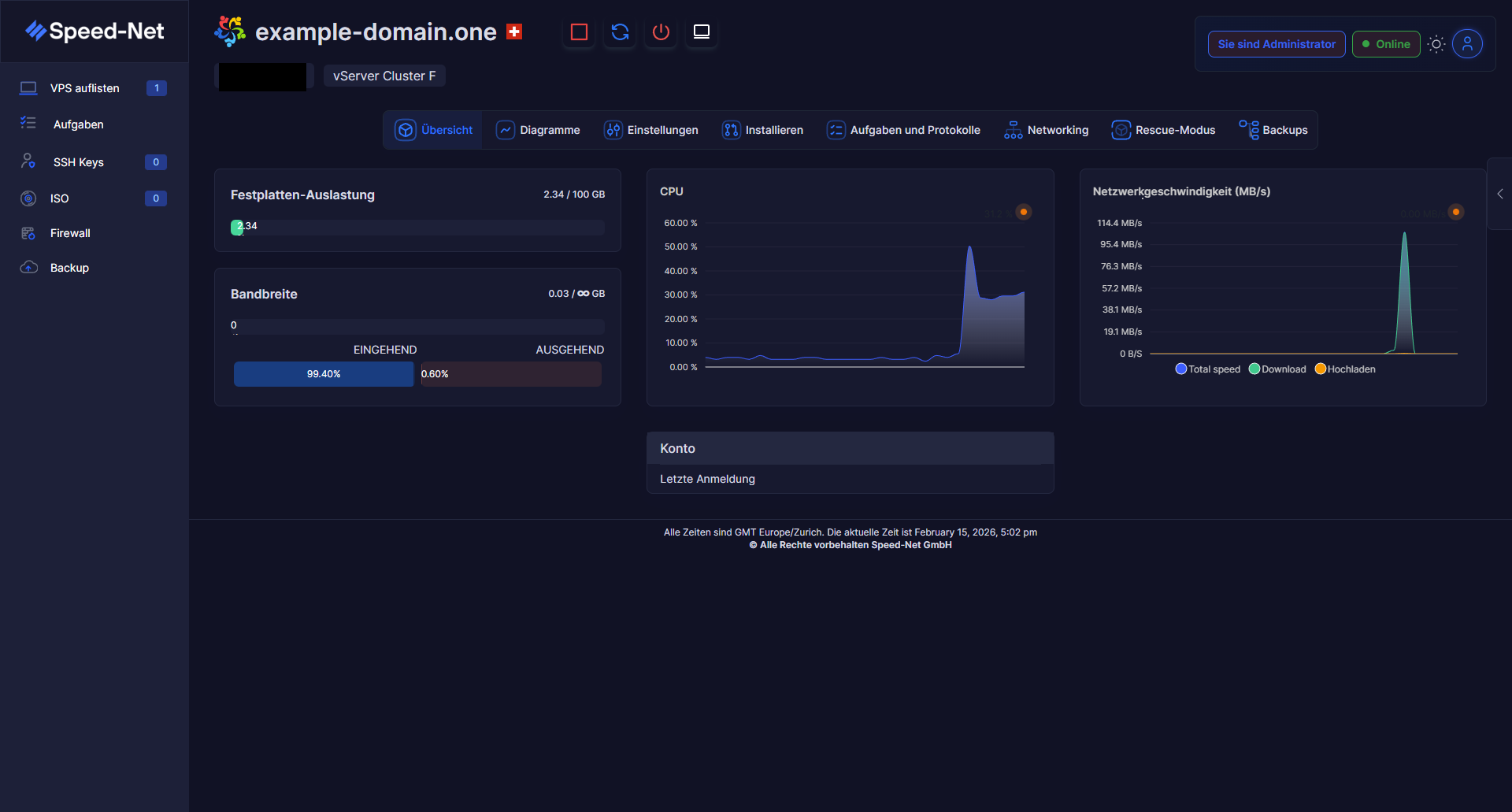
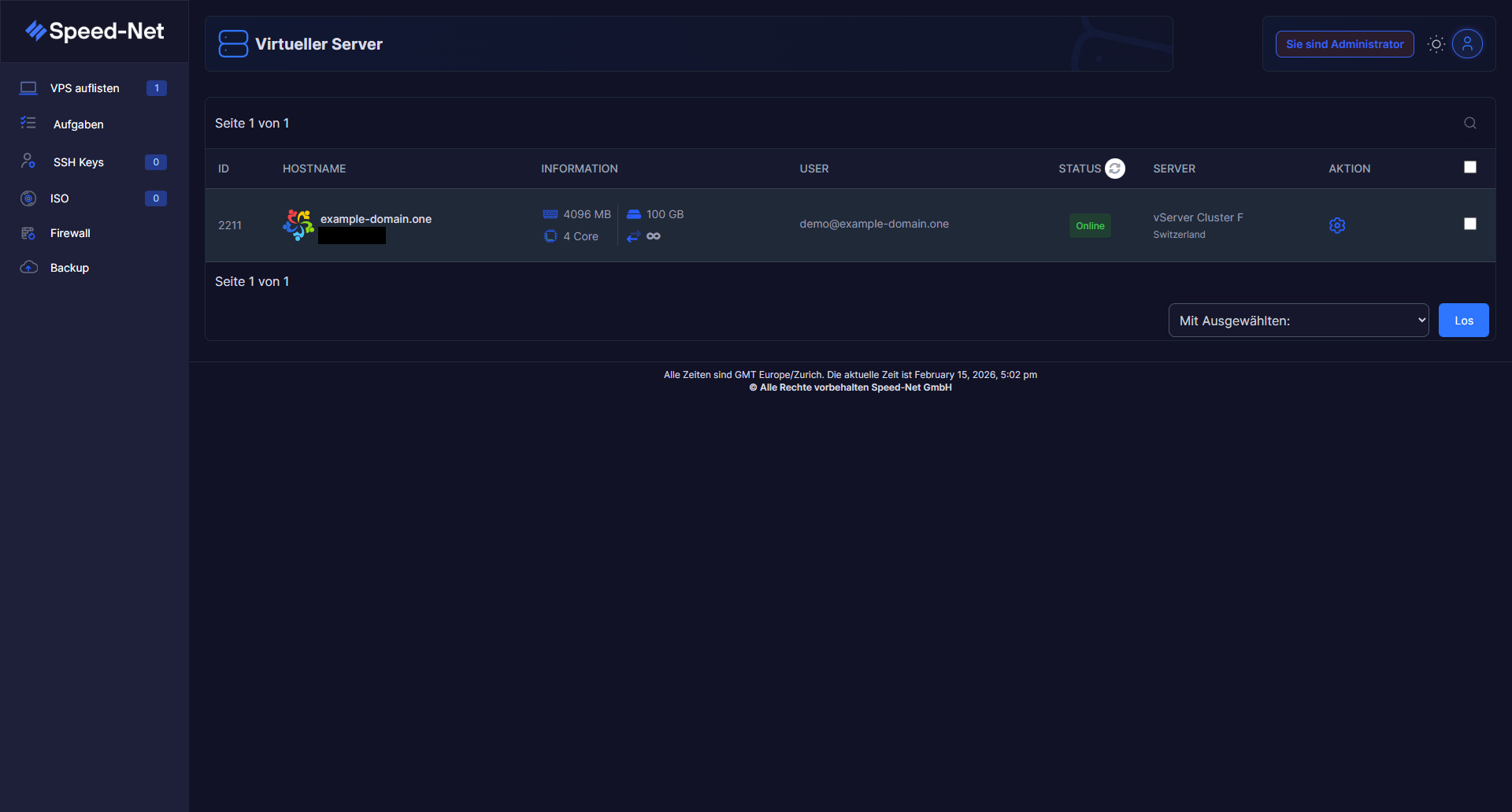
Your Virtual Server in the Web Control Panel

Manage your vServer conveniently via the intuitive web panel. All important information at a glance – hostname, resources, status and location.

  • Clear server list with all vServers
  • Real-time status display (Online/Offline)
  • CPU cores, RAM and storage directly viewable
  • Start, stop and restart server with one click
  • Swiss location with vServer cluster
  • Manage SSH keys, ISOs and firewall directly in the panel
vServer Web-Panel Übersicht
vServer Overview in Web Panel

Real-Time Monitoring & Dashboard

Keep an eye on your server at all times. The dashboard shows you live utilization of disk, CPU, bandwidth and network – clearly and in detail.

  • Disk utilization with usage indicator
  • CPU utilization as real-time chart
  • Network speed (download & upload) live
  • Bandwidth with unlimited traffic
  • Account information and last login
  • Tabs for charts, settings, tasks and more
vServer Dashboard mit Echtzeit-Monitoring
Server Dashboard & Monitoring

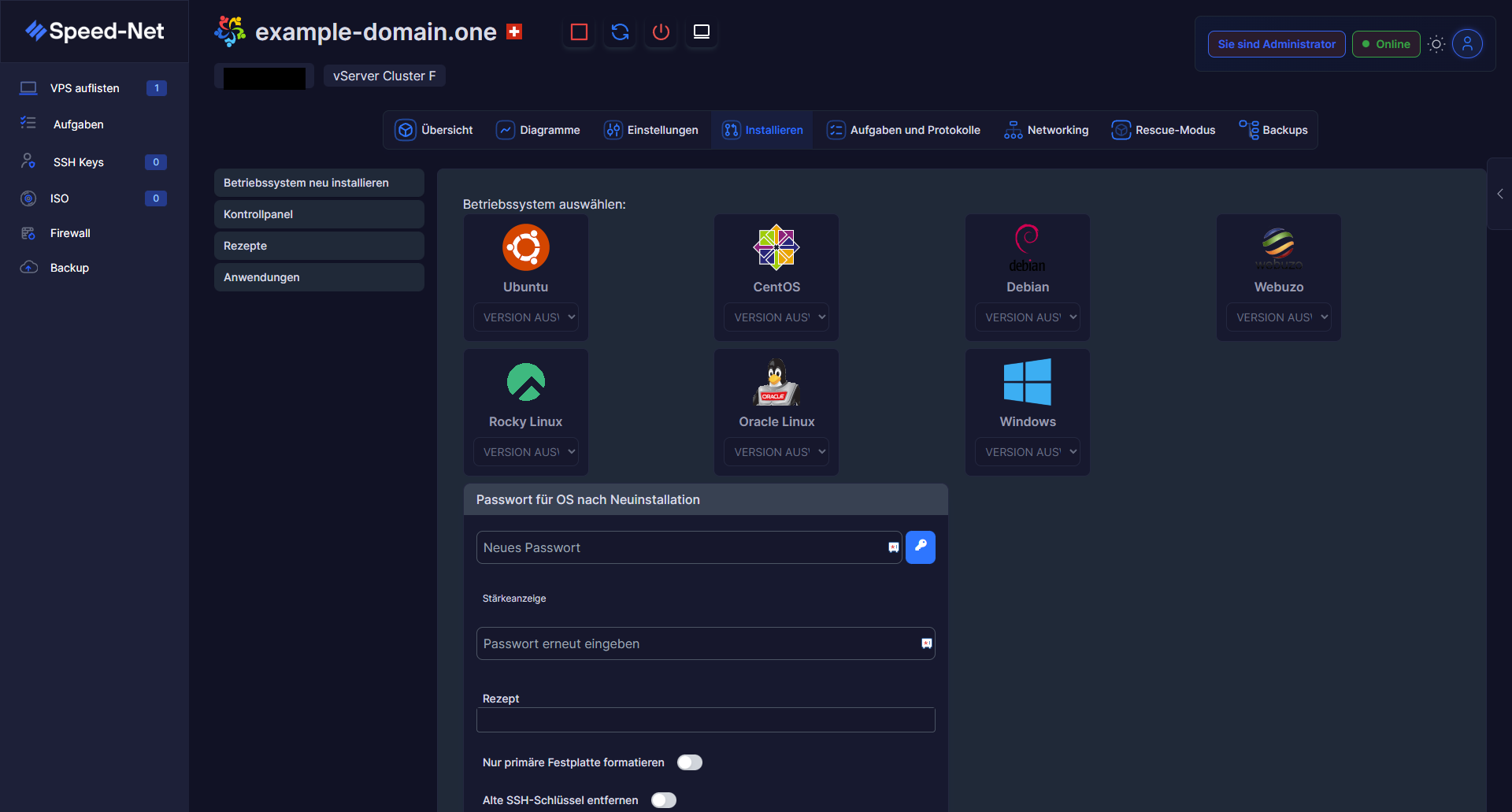
Operating System Freely Selectable

Choose from a variety of operating systems – from Ubuntu to CentOS to Windows. Reinstallable at any time, with password generator and recipe support.

  • Ubuntu, Debian, Rocky Linux, Oracle Linux
  • CentOS Stream and AlmaLinux available
  • Custom ISO image upload possible (from Core plan)
  • Version selection for each operating system
  • Reinstallation possible at any time with one click
  • Recipes for automated configuration
Betriebssystem-Auswahl für vServer
Install Operating System

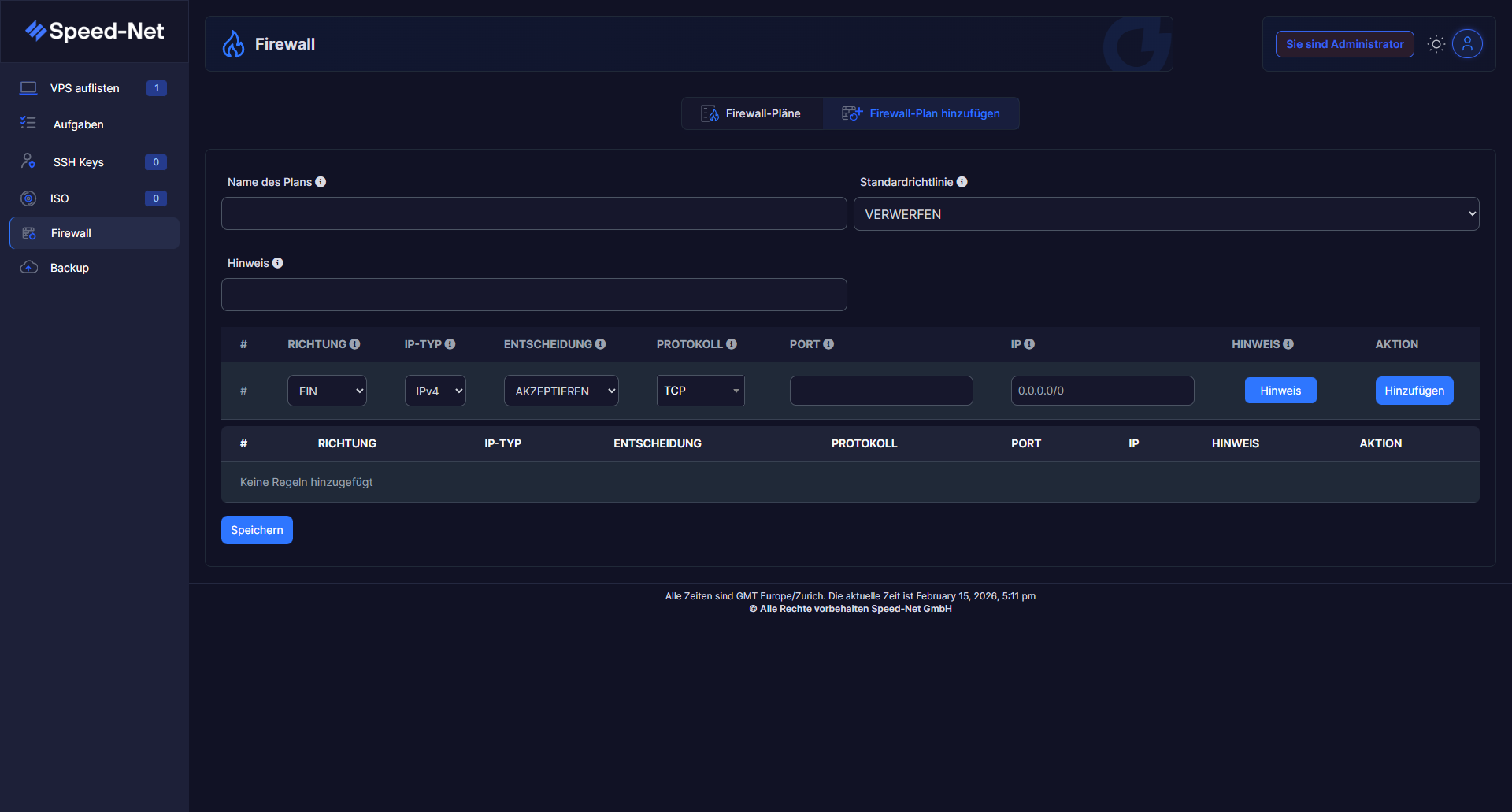
Integrated Firewall

Protect your server with integrated firewall management. Create custom firewall plans with detailed rules for ports, protocols and IP addresses.

  • Create and manage custom firewall plans
  • Rules for incoming and outgoing traffic
  • IPv4 and IPv6 support
  • Protocol filter (TCP, UDP, ICMP)
  • Port-based access control
  • Default policy: Accept or Drop
Firewall-Konfiguration
Configure Firewall Rules

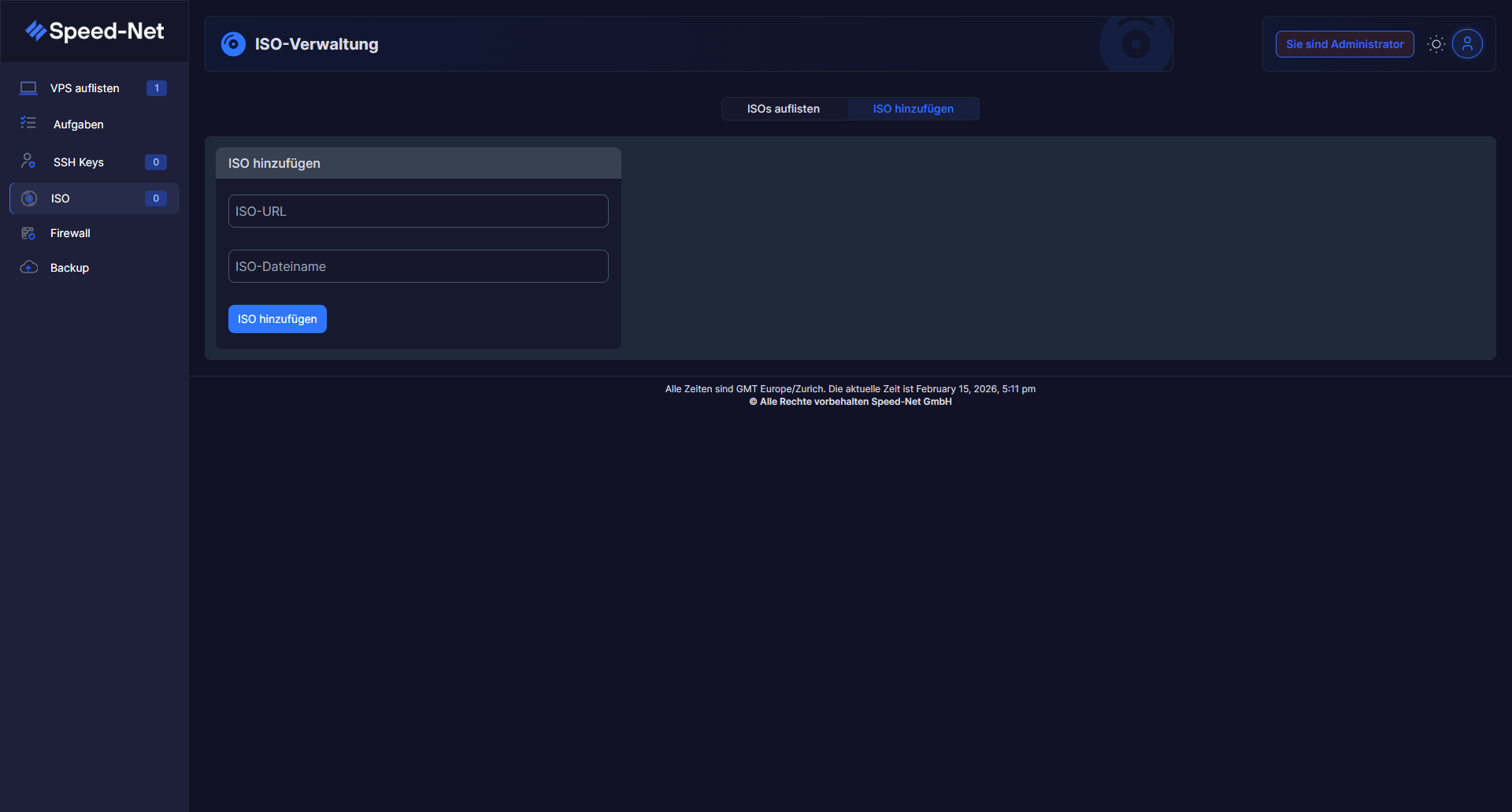
Upload Custom ISO Images

Need a specific operating system or custom installation? Upload your own ISO images and install exactly what you need.

  • Upload custom ISO files via URL
  • Any operating systems and distributions
  • Special software and custom setups
  • Manage and reuse ISO library
  • Maximum flexibility for your requirements
ISO-Verwaltung
ISO Management

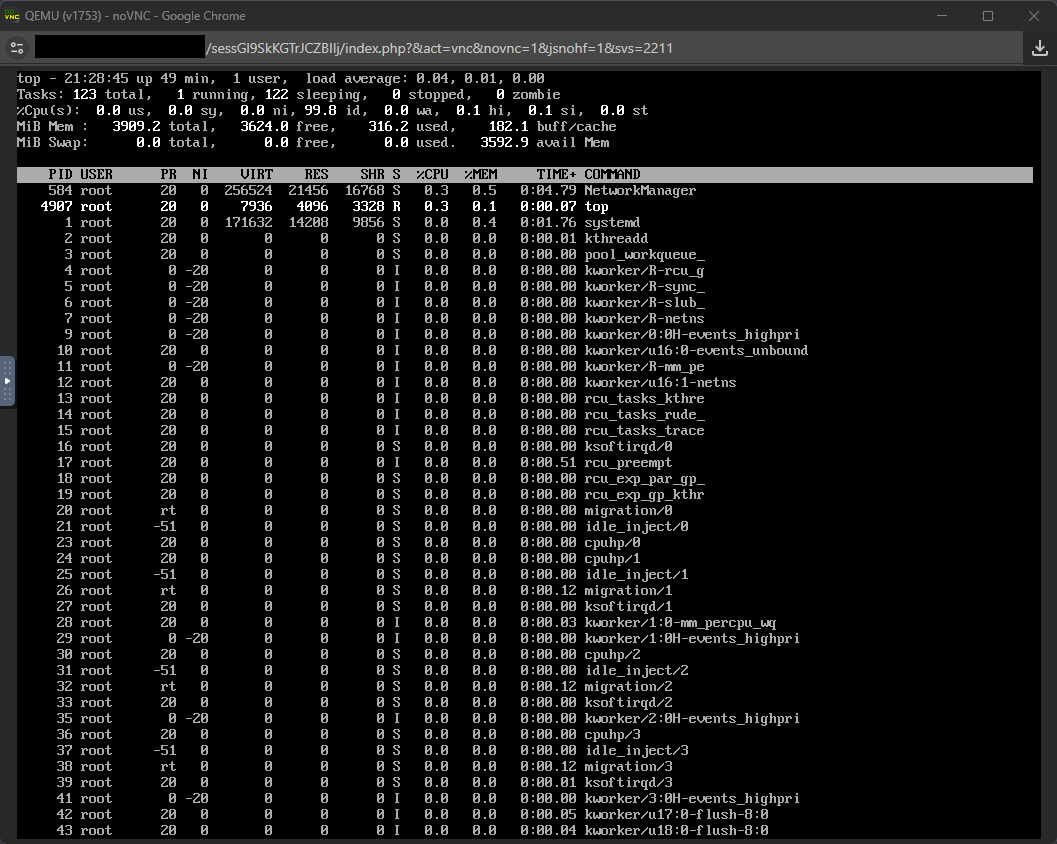
Web-Based VNC Console

Access your server directly at any time – even when SSH is not reachable. The integrated noVNC console gives you full access via the browser.

  • Direct console access via browser (noVNC)
  • No SSH client or VPN required
  • Ideal for emergency access and rescue mode
  • Full root control via console
  • Monitor processes and system load live
  • Works even when SSH access is locked
VNC-Konsole mit noVNC
VNC Console (noVNC)

Powerful Infrastructure

Our vServers are based on state-of-the-art technology for maximum performance and reliability.

KVM-Virtualisierung

Fully isolated virtual machines with dedicated resources and 100% CPU performance.

NVMe RAID 10

Ultra-fast NVMe SSD storage in RAID 10 configuration for maximum performance and security.

Up to 1 Gbit/s

High-performance network connection with unlimited traffic for all plans.

DDoS-Schutz

Integrated protection against DDoS attacks for secure and stable availability.

IPv4 & IPv6

Every vServer receives a dedicated IPv4 and IPv6 address including Reverse DNS.

Daily Backups

Automatic daily backups for additional security of your data.

All vServers include

All of our vServer packages run on powerful cloud server platforms with KVM virtualization, NVMe storage, and guaranteed resources.

With full root access, you also have complete control over your system and can customize software, kernel modules, or firewall rules as you see fit.

KVM Virtualization

Web Control Panel

SSH Access

DNS Management

24/7 Monitoring

Swiss Server Location

No Setup Fees

Reverse DNS

vServer, VPS, or Virtual Private Server – is it all the same thing?

The terms vServer, VPS (Virtual Private Server), and virtual server are mostly used interchangeably and refer to the same technology: your own isolated server environment on powerful hardware, fully separated from other customers through KVM virtualization. You get guaranteed resources just like with a dedicated server – at a significantly lower price.

Frequently asked questions about vServer & VPS

In short: a VPS shares hardware with guaranteed, isolated resources, while a dedicated server belongs exclusively to a single customer. For most projects, a vServer offers the better price-to-performance ratio.

A Virtual Private Server is right for anyone who needs more control, performance, and flexibility than classic web hosting offers – such as developers, agencies, growing online shops, game servers, or businesses with specific software requirements.

For smaller websites and test environments, 2 GB RAM and 2 cores are usually enough. Growing projects, online shops, or several applications running at once benefit from 6 GB RAM or more. Our support team is happy to advise you for free on which package fits your plans.

Yes, upgrading to a larger vServer package is easy at any time through the customer portal, without any data loss or long downtime.

Thanks to full root access and KVM virtualization, you can install almost any Linux or Windows software on your vServer, just like on a physical server – including your own kernel modules and custom firewall configuration.

Further reading: vServer vs. dedicated server · How much RAM & CPU does your vServer need?